> For the complete documentation index, see [llms.txt](https://help.immodio.app/llms.txt). Markdown versions of documentation pages are available by appending `.md` to page URLs; this page is available as [Markdown](https://help.immodio.app/en/wissen/mieterportal.md).

# Tenant Portal

This page explains what functions the tenant portal offers and how your tenant gains access to it.

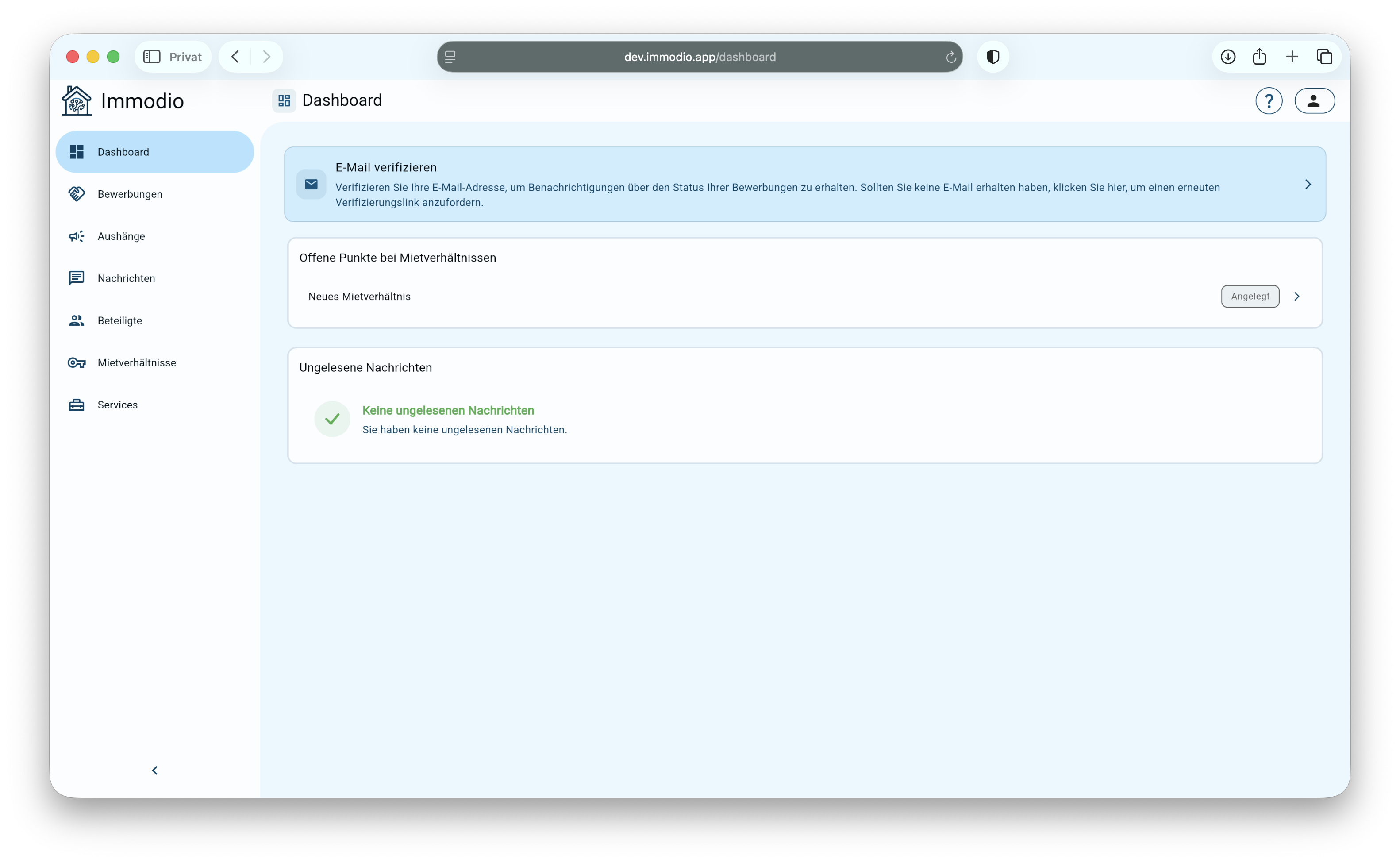
<figure><img src="https://152064692-files.gitbook.io/~/files/v0/b/gitbook-x-prod.appspot.com/o/spaces%2FMmjaQ7ApHsdO9GrxyEiQ%2Fuploads%2Fgit-blob-6290d6bb11f43c7a4413886e8698376c3a49dc87%2FBildschirmfoto%202026-03-17%20um%2013.57.17.png?alt=media" alt=""><figcaption><p>This is how the tenant portal looks to your tenant.</p></figcaption></figure>

The tenant portal is the central digital area for your tenants and prospective tenants, where all information about the apartment application and the tenancy is provided in one place. It serves as a single platform for communication, exchanging documents and handling important processes between you and your tenants.

Once a tenancy has begun, all relevant documents, such as the rental agreement or other provided paperwork, are available there at any time.

Notifications and information about the tenancy are also displayed centrally in the tenant portal, so that all important matters can be traced in one place.

### Functions

The tenant portal offers your tenants and prospective tenants the following functions:

<table data-view="cards"><thead><tr><th></th><th></th></tr></thead><tbody><tr><td><strong>Applications</strong></td><td>During the application process the prospective tenant can view the current status of their application in the tenant portal at any time and sends you the tenant self-disclosure form and other relevant documents digitally.</td></tr><tr><td><strong>Signing the rental agreement</strong></td><td>As soon as you have created a tenancy, it is transferred to the prospective tenant's tenant portal. The tenant can review and sign the rental agreement there digitally.</td></tr><tr><td><strong>Documents</strong></td><td>In the tenancy the tenant sees all important documents such as the house rules,<br>the landlord confirmation of residence or the data protection notice. These are transferred automatically by Immodio. In future you will also be able to transfer your own paperwork.</td></tr><tr><td><strong>Communication</strong></td><td>Using the communication function you as the landlord can either chat with your tenants by direct message on a specific topic or publish notices that all tenants of a property can see in the tenant portal.</td></tr><tr><td><strong>Submitting meter readings</strong></td><td>In future the tenant will be able to submit all meter readings through the tenant portal. The values are assigned automatically to the respective unit.</td></tr><tr><td><strong>Reporting defects</strong></td><td>In future your tenant will be able to report defects in the rented property to you themselves through the tenant portal.</td></tr></tbody></table>

### Access to the tenant portal

<figure><img src="https://152064692-files.gitbook.io/~/files/v0/b/gitbook-x-prod.appspot.com/o/spaces%2FMmjaQ7ApHsdO9GrxyEiQ%2Fuploads%2Fgit-blob-855387038fa3b984f64f263be56c888c34a60bd2%2FBildschirmfoto%202026-03-17%20um%2014.10.21.png?alt=media" alt=""><figcaption></figcaption></figure>

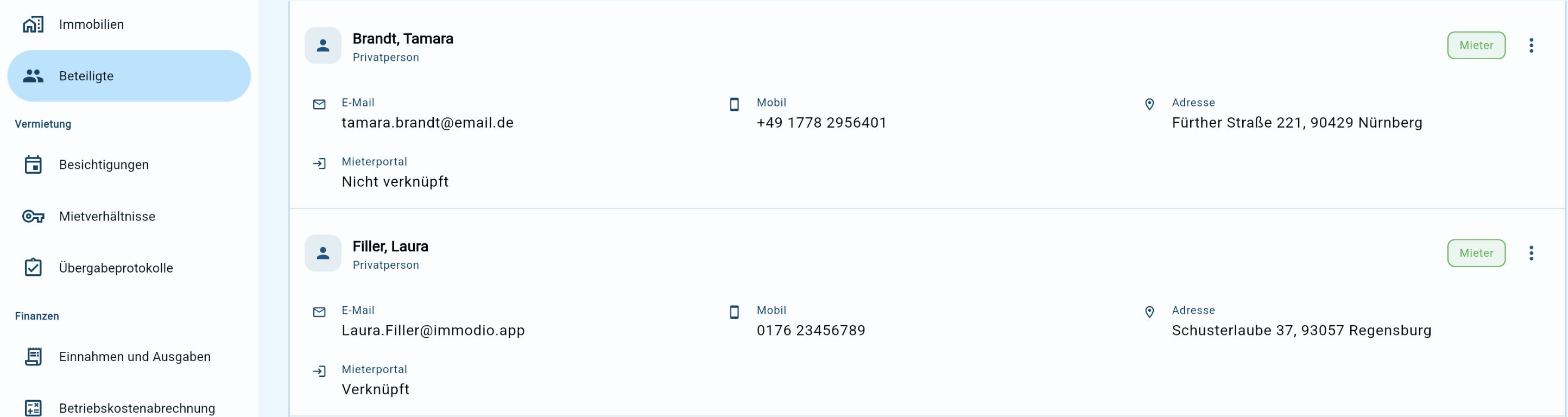
You can see whether a tenant already has access to the tenant portal under the **"Parties"** menu item, directly with the tenant concerned.

* If you let your unit through the Immodio [viewing management](/en/anleitung/besichtigungen.md), a prospective tenant is given access to the tenant portal as soon as they request a viewing appointment. Through the tenant portal the prospective tenant can handle their apartment application. If a tenancy is then created for them, it is transferred to the tenant portal automatically and the rental agreement can be signed digitally. Only after that is the prospective tenant listed as a tenant under the parties.
* You can invite all tenants or prospective tenants who were not created through the Immodio [viewing management](/en/anleitung/besichtigungen.md) to the tenant portal manually. You can find out how this works here:

{% content-ref url="/pages/bMCBT9vO2olR8o3mmhCx" %}
[Invitation to the tenant portal](/en/wissen/mieterportal/einladung-in-das-mieterportal.md)
{% endcontent-ref %}

{% hint style="info" %}
Where several tenants share one tenancy, it is generally sufficient for only one of them to have access to the tenant portal. Documents such as the rental agreement can be signed by all tenants centrally through one shared access. It is important, however, to make sure that all information provided through the tenant portal also reaches every tenant in the tenancy.
{% endhint %}